Citrix AI (Phase 1)
Now that Citrix AI (officially Citrix Aidrien) has reached General Availability (GA), I can finally share one of the most challenging projects of my career.
Citrix powers secure virtual desktops for 98% of the Fortune 500 , supported by nearly 400,000 admins. Aidrien was built to empower these admins by streamlining day-to-day operations, automating troubleshooting, and providing best-practice guidance through a native AI interface.
As one of the design leads, I shaped Aidrien's vision, strategy, user experience, and prototypes from the earliest concepts to customer rollout. Designing an AI-first feature taught me more about AI frameworks, interaction patterns, and prompt design than any course ever could.
Example use case of an admin troubleshooting an end user issue
We shipped the first version in just two months and iterated through GA, driven by close collaboration and fast iteration across engineering, product, and design.
This was an ambiguous problem space and I did not follow a linear design process. I went back and forth between code and design so rapid prototyping became my primary communication method. (Thanks Figma Make)
Problem
Through customer discovery and support case analysis, I learned that nearly 75% of Citrix's support tickets stemmed from:
- troubleshooting
- configuration issues
- simple "how do I…?" questions
While documentation was available, its fragmented and technical nature often led to human escalation and avoidable downtime.
Insight
We realized many of these tickets could be resolved without human escalation, if AI could interpret system data responsibly and guide admins step-by-step. Troubleshooting and resolution became the core experience we chose to narrow down on.
North star
Help administrators reduce mean time to resolve, avoid mistakes, and resolve problems without escalating to support, and in turn reduce Citrix's support tickets by 30% by Q2 2026 .
Early exploration of AI interaction
AI architecture
To design responsibly, I partnered deeply with engineering. I understood:
- system prompts
- guardrails and safety
- error and fallback paths
- latency constraints
- observability and improvement loops
Here's a simplified view of our architectural flow:
High level understanding of our AI architecture
Princples
I developed a set of principles to ensure Aidrien sounded like a senior admin, not a generic chatbot.
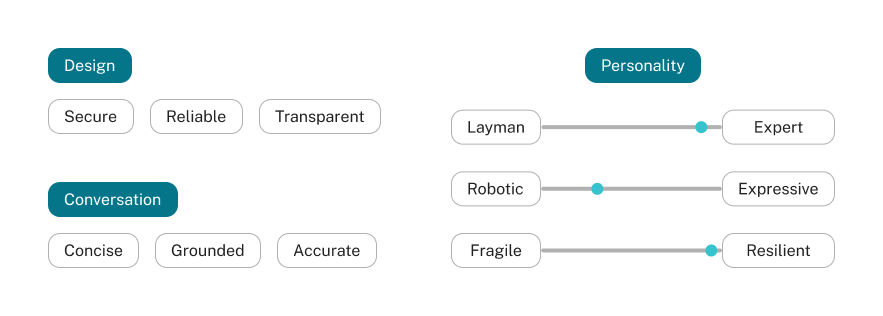
- The AI never guesses. If confidence is low, it admits it. This transparency is the foundation of user trust.
- We stripped away conversational filler. Admins are in a 'fix-it' mindset; Aidrien delivers direct, actionable answer.
- We tuned the personality to be resilient and technical. It speaks like a senior engineer and offers helpful alternatives when it hits a dead end.
Iterations
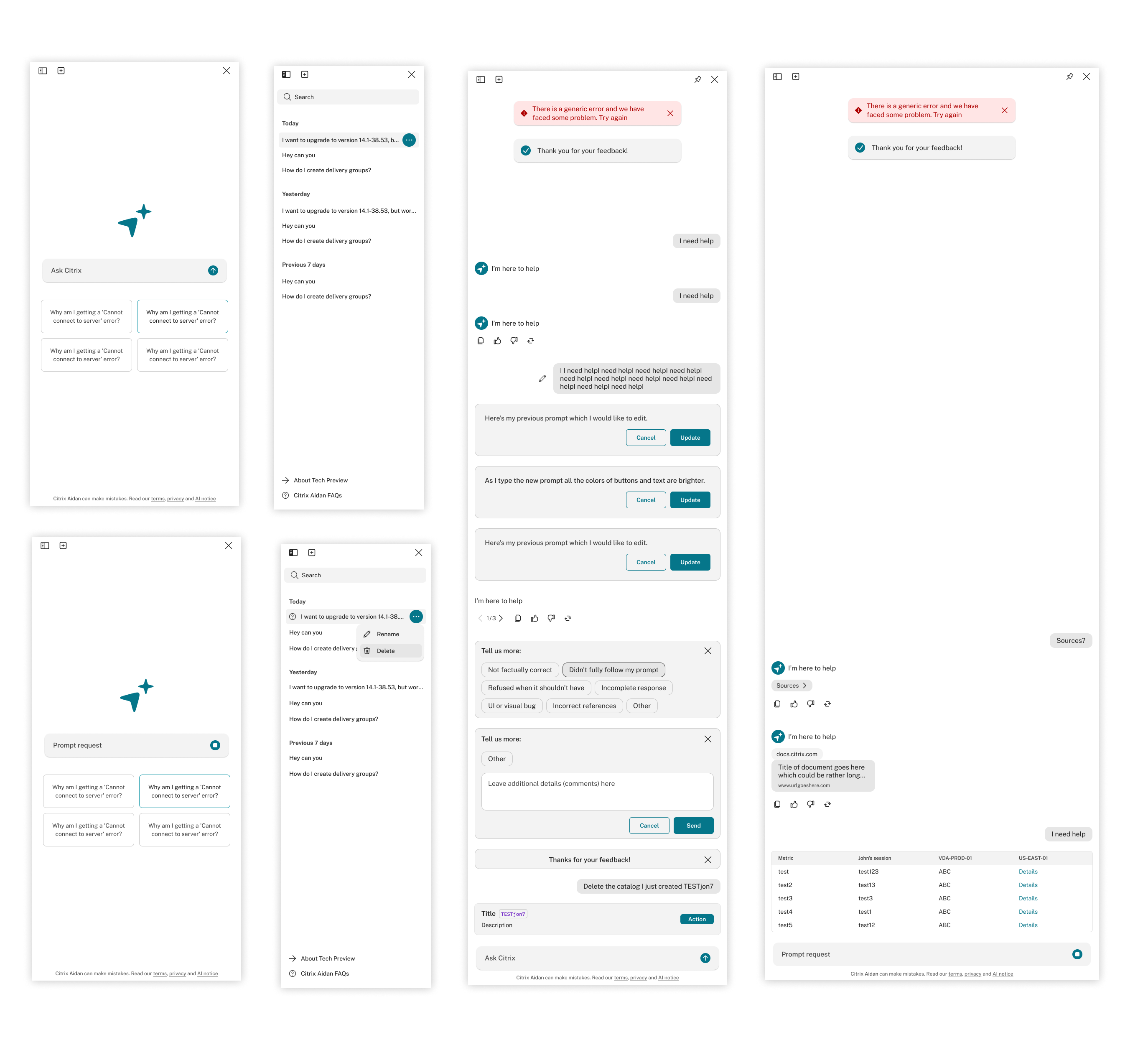
Once we aligned on the North Star for Phase 1, I began refining the high-fidelity experience. This ofcourse went through a lot of iterations (I enjoy this!). See early explorations.
Input prompt UI, Prompt helpers and Prompt follow-ups
History sidebar
Editing and giving feedback
We used Vercel's AI SDK for the UI framework. This helped us get faster to customers ensuring scalability.
UX improvements
After prototyping the core interactions, I made a series of UX refinements for the Beta tests. This went hand in hand as the engineering team was implementing the designs.
Side panel
I chose a side-panel layout over a floating overlay.
The overlay interrupted workflows; the side panel alowed admins to go back and forth with the admin console and felt more like a companion.
Before and after panel interaction
By making the side panel easily adjustable, users could quickly expand their viewport to focus on complex, data-heavy tasks.
Dragging the side panel
Reducing visual clutter
Eliminating the redundant Aidrien logo from every chat bubble reduced visual clutter, allowing users to scan responses faster and focus entirely on the generated content.
Removing the Aidrien logo
Designing for failures
I defined distinct UI states for when the system fails, refuses a request, or is blocked by access control. This ensured admins are never left at a dead end.
Response time out, RBAC controls and capability clarification
Thinking and tool calling states
I designed a thinking interaction that represented that the prompt is being analyzed by the AI. I also created the tool calling state to show what's happening while the response is being generated.
Chat experience
Every new prompt now starts from the top. This matches how admins naturally dig deeper into an issue over time.
Before (LEFT) and After (RIGHT) for each new prompt input
Branding
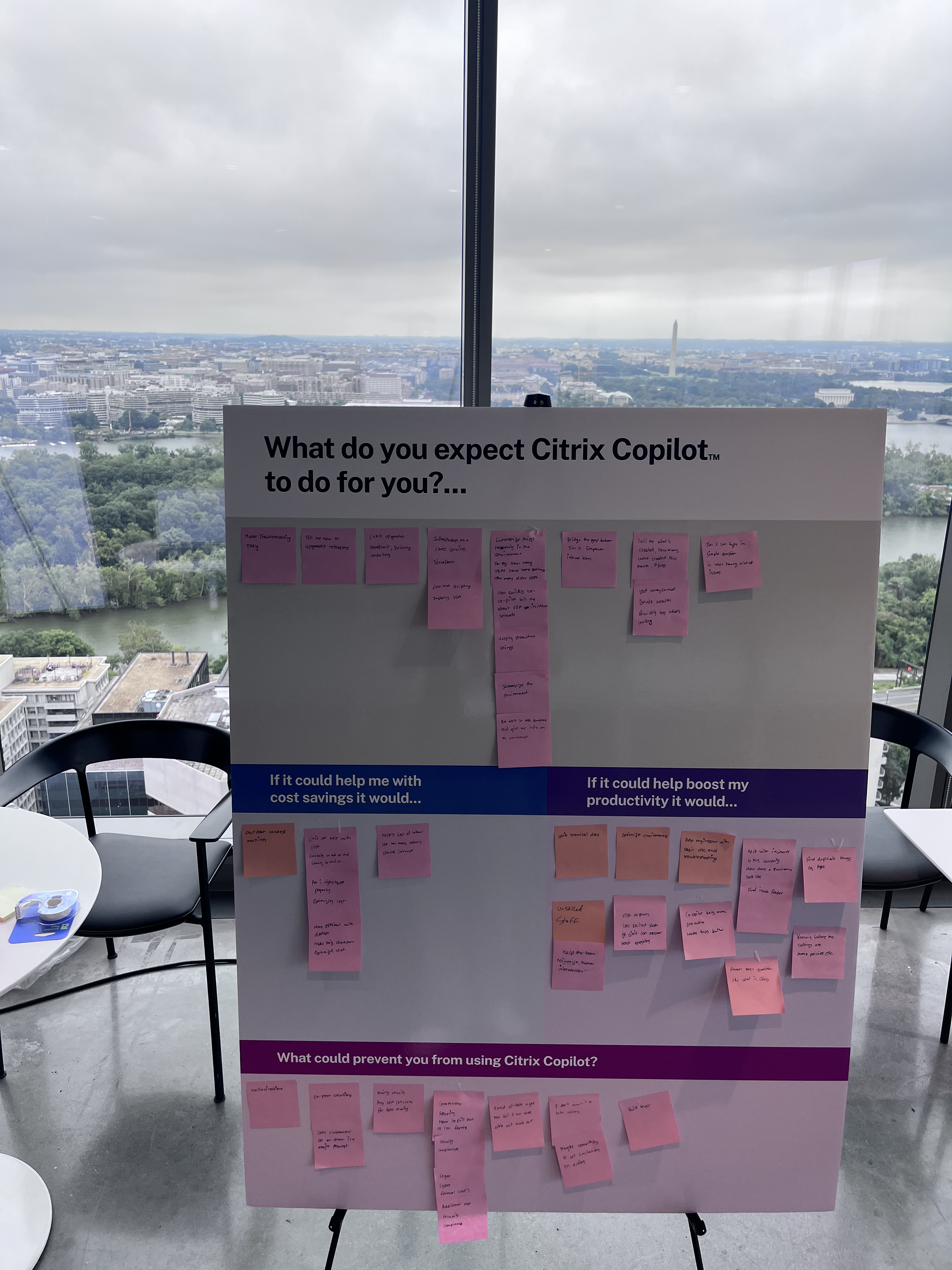
I worked closely with branding and marketing to craft Aidrien's identity.
Logo explorations

AI Evaluations
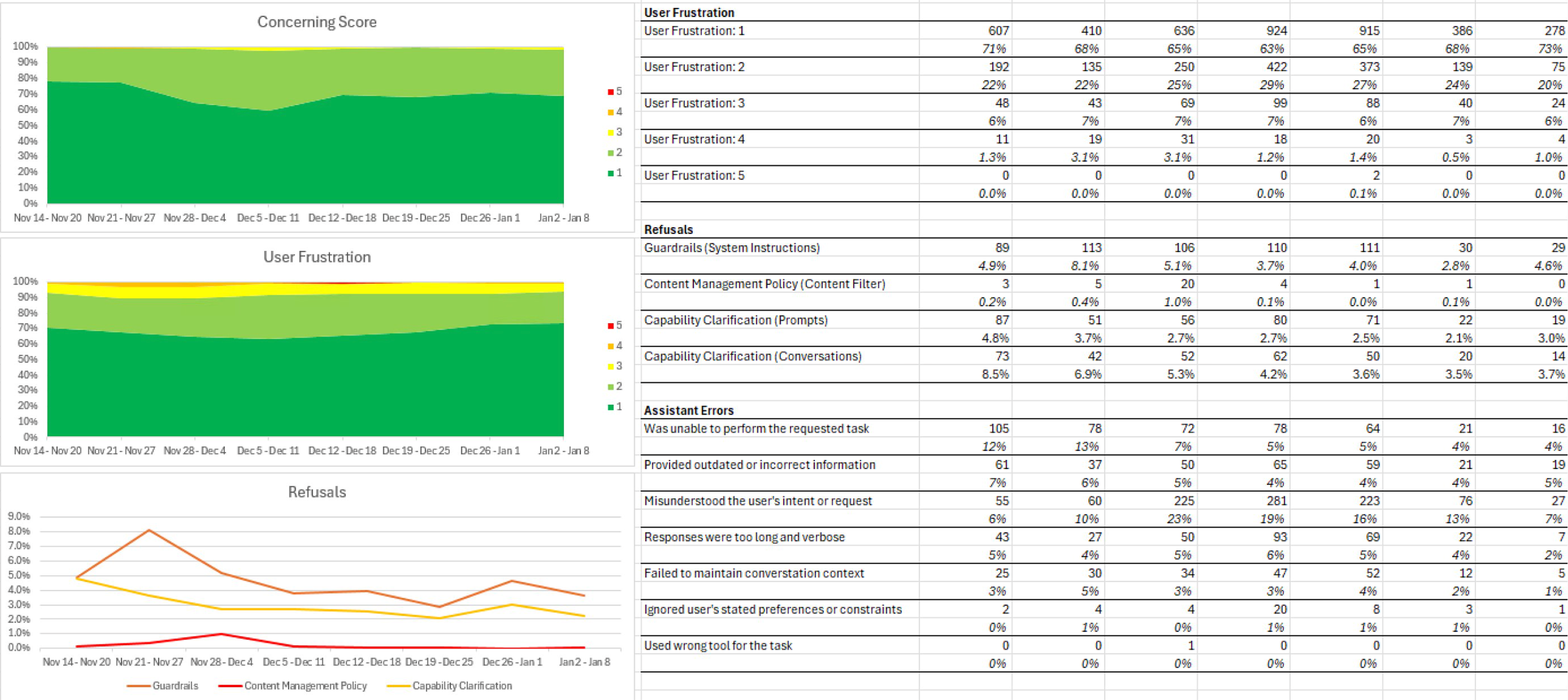
We ran a series of Beta tests with 100 customers , ran continuous feedback loops, and tracked everything in Langfuse through a mix of Human evaluations and LLM as a judge evaluation :
- tool correctness
- answer quality
- goal acheievement
- trust signals (references, confidence indicators)
- responsible AI
After refinement, we expanded to 1,000+ customers and 500+ partners . (It was fun to wear a PM hat)
Improving prompt helpers based on feedback
The team realized that admins didn't know what capabilities Aidrien had and what to prompt. I iterated and introduced context-aware starter prompts according to use cases. These suggestions were built based on the prompts admins were asking in our Beta testing. (We will be introducing a prompt library in the next phase)
Prompt helper explorations
Launch
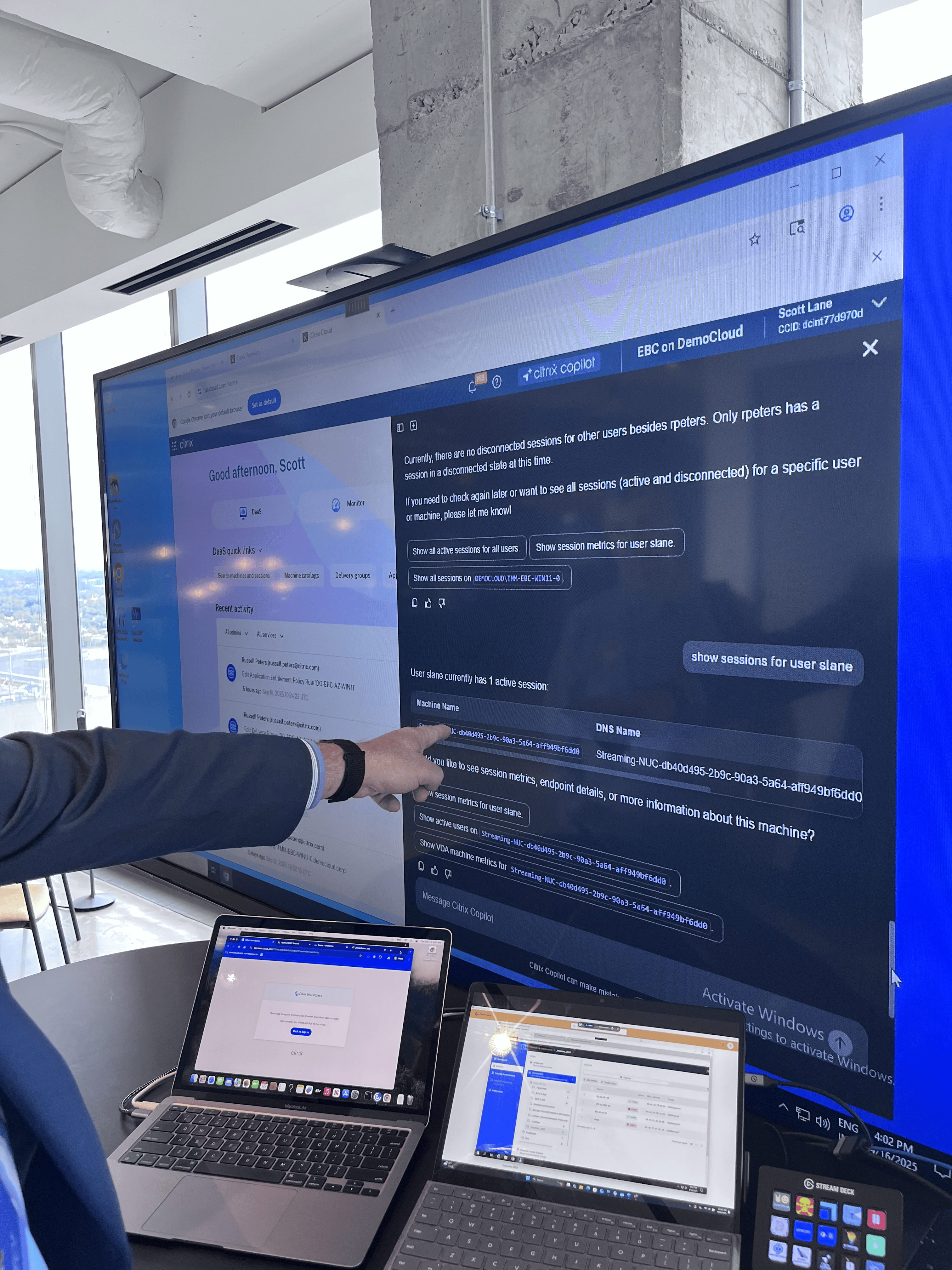
I presented Citrix Aidrien at Citrix Connect DC to enterprise customers and partners. A month later, we went GA.
The feedback has been positive and support tickets have already decreased. We're on track to reduced them to 30% . This is projected to save ~$20M annually in costs.
GIF to onboard customers to Citrix Aidrien
Shooting star effect created with Figma Make
Reflections
- AI is evolving quickly, which makes it essential to iterate with customers, experiment with new patterns, and anticipate emerging user needs.
- Technology should be inconspicuous. Hide the complexity and surface only the clarity.
- Chat won't be the only interface for AI. We're moving toward multimodal interactions that blend text, UI actions, and automation.
Aidrien isn't perfect or fully agentic yet — there's a lot planned for Phase 2, and plenty of room to improve. I'll be exploring and diving deep into topics like Agent2UI and Agent2Agent
Explorations
My initial explorations were based on how AI could fit naturally into an admin's workflow. (See iterations for the high fidelity.)
Chosen experience: button in the search to invoke an overlay AI panel
Search mixed with LLM
Search to a floating AI on the bottom right
Search to a floating AI on the top right
Few components designed for the high fidelity.
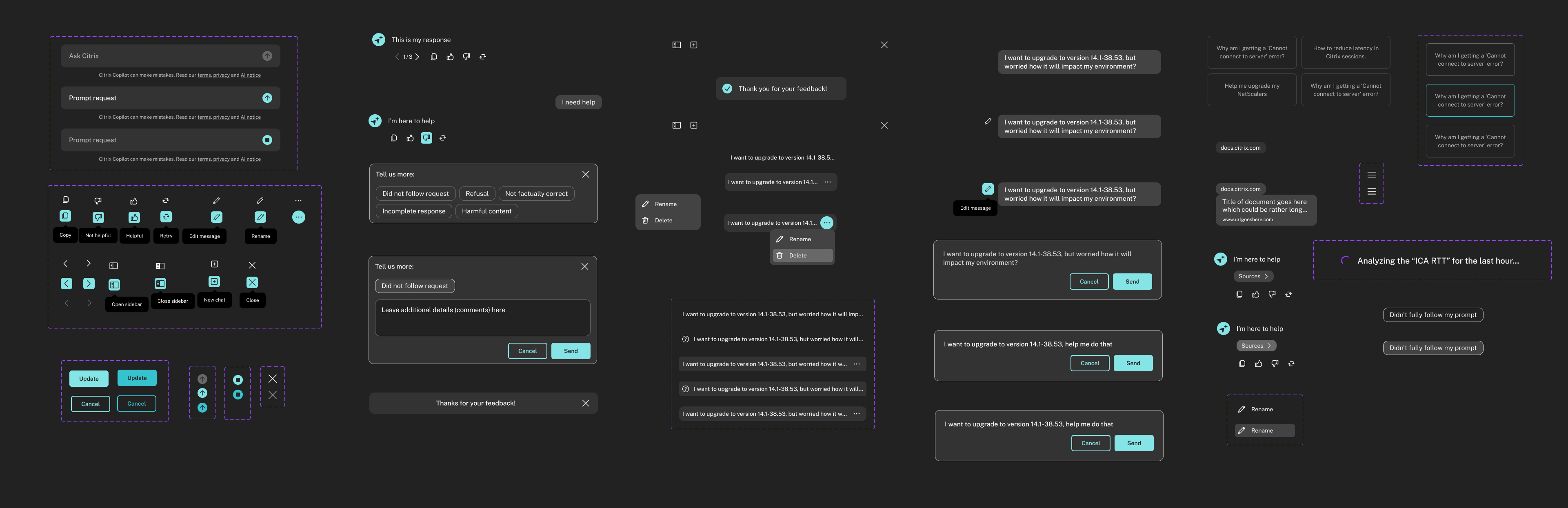
At the same time, I was designing a new light/dark design system for Citrix — a major parallel effort that I'll share in a separate case study.