Citrix Toolbar
Inside a virtual desktop, the toolbar gives users a simple way to control their physical setup. From adjusting monitors to checking internet health, it keeps essential settings one click away without cluttering the screen. Watch video
Toolbar
I redesigned the in-session toolbar with a modernized UI and capabilities like seamless multi-monitor support, directly impacting the daily workflows of over 100M global end users .
Drag and drop
Users can drag the toolbar and snap it to any screen edge. It seamlessly adapts to both vertical and horizontal layouts.
Drag and drop the toolbar notch anywhere
Pinning
Pinning keeps the toolbar persistently visible rather than minimizing it into a tab, granting immediate access to session controls. Pinned toolbars can be dragged to any side of the screen and automatically snap to the nearest edge upon release. This prevents the menu from hiding after executing quick actions.
Piinning the toolbar for quick access
Connection
The Connection Strength Indicator (CSI) provides real-time insights into network health. By exposing these stats clearly, end-users can troubleshoot connectivity issues independently, significantly reducing IT support tickets.
Good connection
Good connection strength
Poor connection
Poor connection strength
Mobile toolbar
Portrait mode
Portrait mode for toolbar in a mobile session
Landscape mode
Landscape mode for toolbar in a mobile session
Multi-monitor
A streamlined flow for users to easily configure and extend their virtual session across multiple physical monitors.
Extend virtual desktop sessions to multiple monitors
Launch video
I built the feature launch video using Rotato. It was a great excuse to learn a new motion tool, and the final cut was shared internally with our team.
Internal launch video made with Rotato
Workspace app
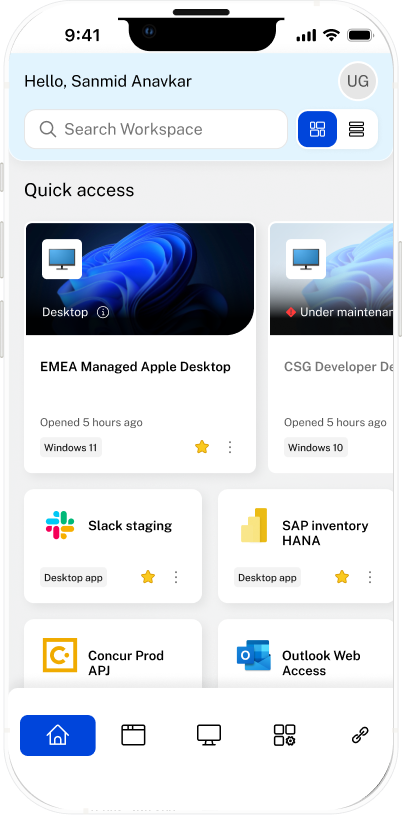
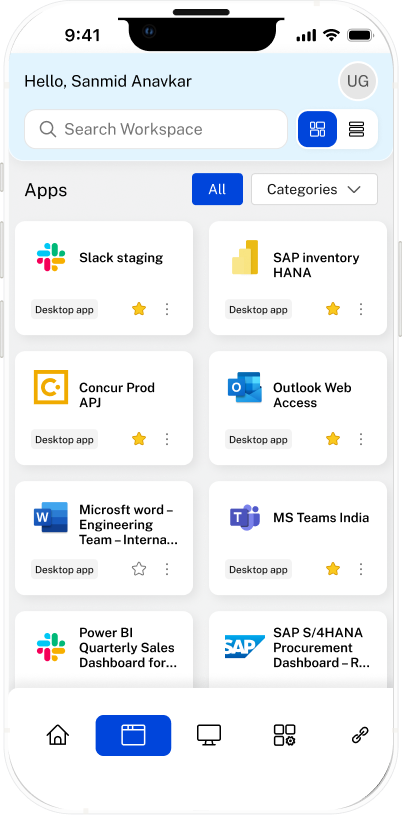
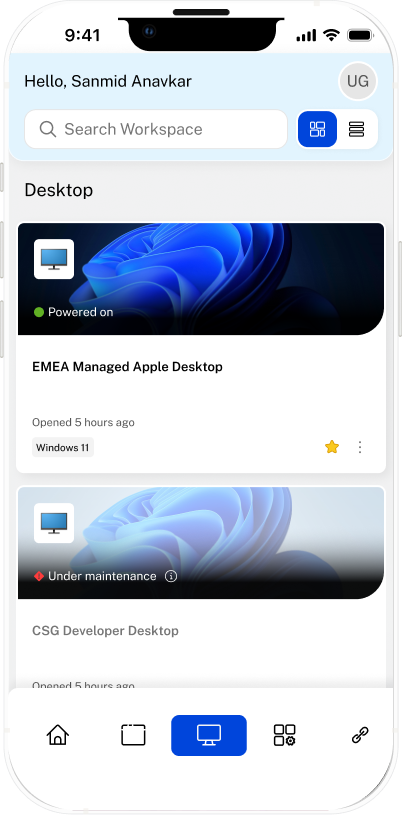
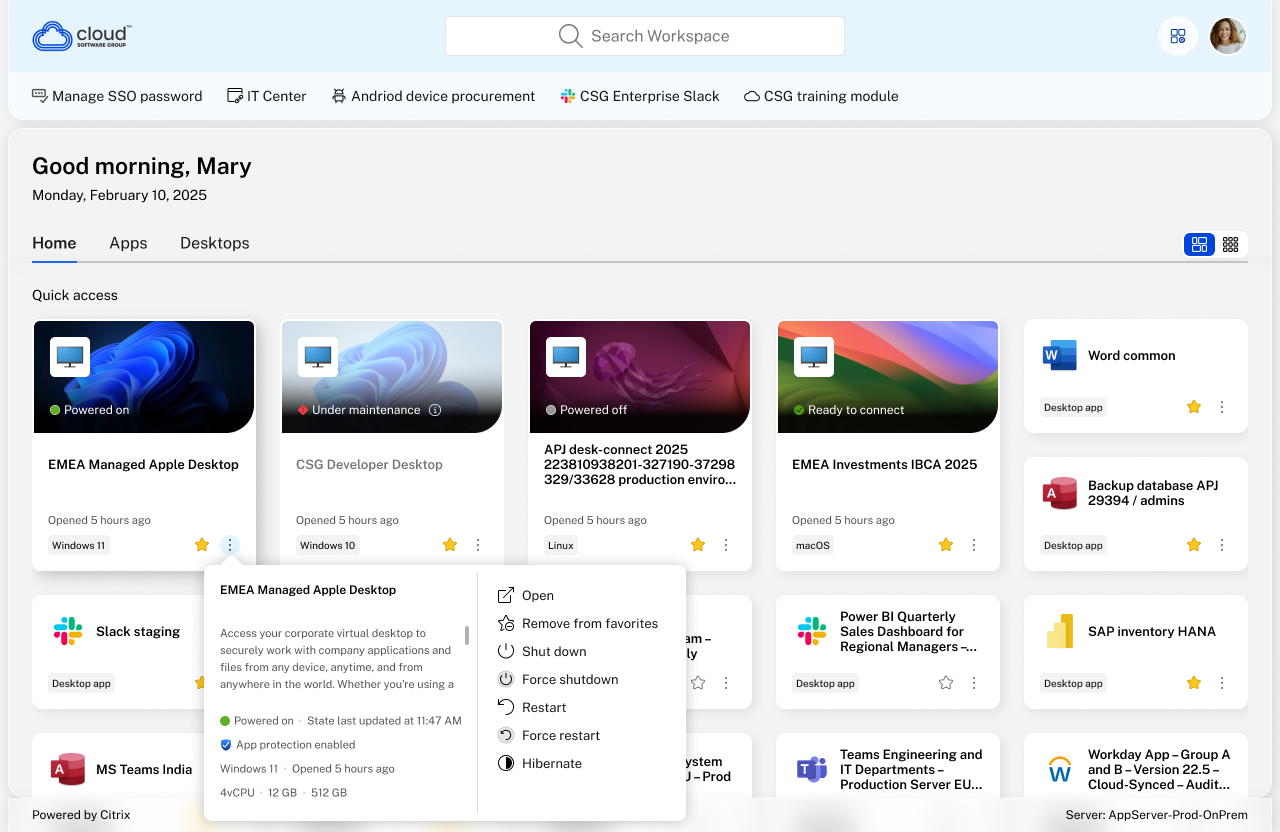
Citrix Workspace is a unified, secure launcher where employees access their virtual desktops, enterprise apps, and company files in a single hub. Watch video
I redesigned the core Workspace application, introducing new desktop and application tiles, streamlined navigation, and a fully modernized UI. This work directly impacts the daily workflows of over 100M global end users .
Desktop
Mobile